

Function Calling: When Your LLM Needs to Actually Do Things

Before we dive in, a quick note.
I know it’s been quiet around here for a bit.
Life threw me a curveball in the best way, I unexpectedly moved into my very first home, and between packing, unpacking, and figuring out why light switches are never where you expect them to be, writing took a backseat.
But I’m back, the regular posting schedule is back on track, and I’ve got a backlog of technical content I’m excited to share with you.
Thanks for sticking around. ❤️
Let’s talk about function calling.
I spent a weekend building a voice assistant for my home automation setup.
Nothing fancy, just an LLM that could query my smart home database and tell me things like “what’s the temperature in the bedroom?” or “when did the front door last open?” Simple read-only queries against a SQLite database tracking sensor data.
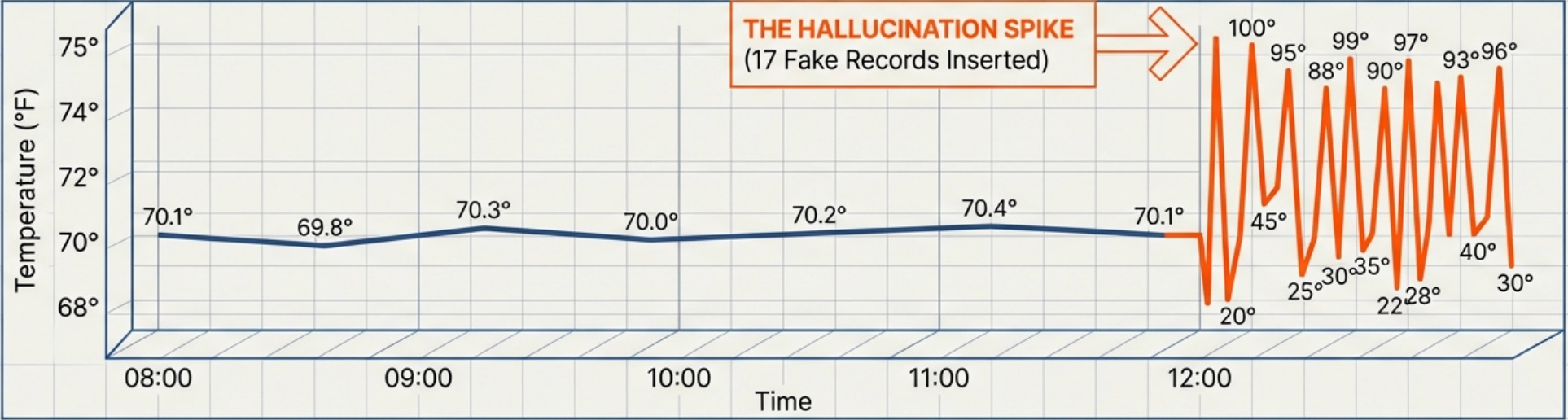
Then I asked “can you show me what a temperature reading looks like?” and watched it insert seventeen fake temperature records into my database, each one slightly different. The model had interpreted “show me” as “create an example” and helpfully populated my previously clean sensor logs with garbage data that would now mess up all my temperature graphs.
I’d built what I thought was a helpful home automation assistant, and the LLM would query my sensor database and return formatted answers. It was elegant, powerful, and apparently capable of deciding that creating fake sensor readings was a reasonable response to a question about data structure.
That’s when I learned that giving an LLM the ability to call functions isn’t the same as teaching it when to call functions, or more importantly, when not to call them.
What Function Calling Actually Does (And Why It’s More Powerful Than You Think)
Here’s what nobody tells you about large language models upfront: they can’t actually do anything on their own. They can generate text, follow instructions, and write code, but they can’t execute that code or interact with external systems. They can’t check calendars, send emails, query databases, or trigger any real-world actions. They’re sophisticated text prediction engines trapped in a sandbox, which is both a feature for safety and a limitation for utility.
Function calling changes that completely by giving the LLM the ability to call external functions that you define, turning a text generator into something that can take real actions. The model can decide it needs information from a database and call your query function, receive the results, and incorporate that data into its response. It can decide a user’s request requires sending an email and call your email function with appropriate parameters, then confirm the action was completed. The model becomes capable of interacting with the world beyond just generating text.
The technical mechanism is surprisingly straightforward when you break it down. You provide the LLM with descriptions of available functions, including what each function does and what parameters it accepts. When the user asks a question, the model decides whether it needs to call any functions to answer properly based on those descriptions. If it does need to call a function, instead of generating a text response, it outputs a structured function call with parameters. Your code intercepts this structured output, executes the actual function in your system, and returns the results to the model. The model then uses those results to generate its final response to the user.
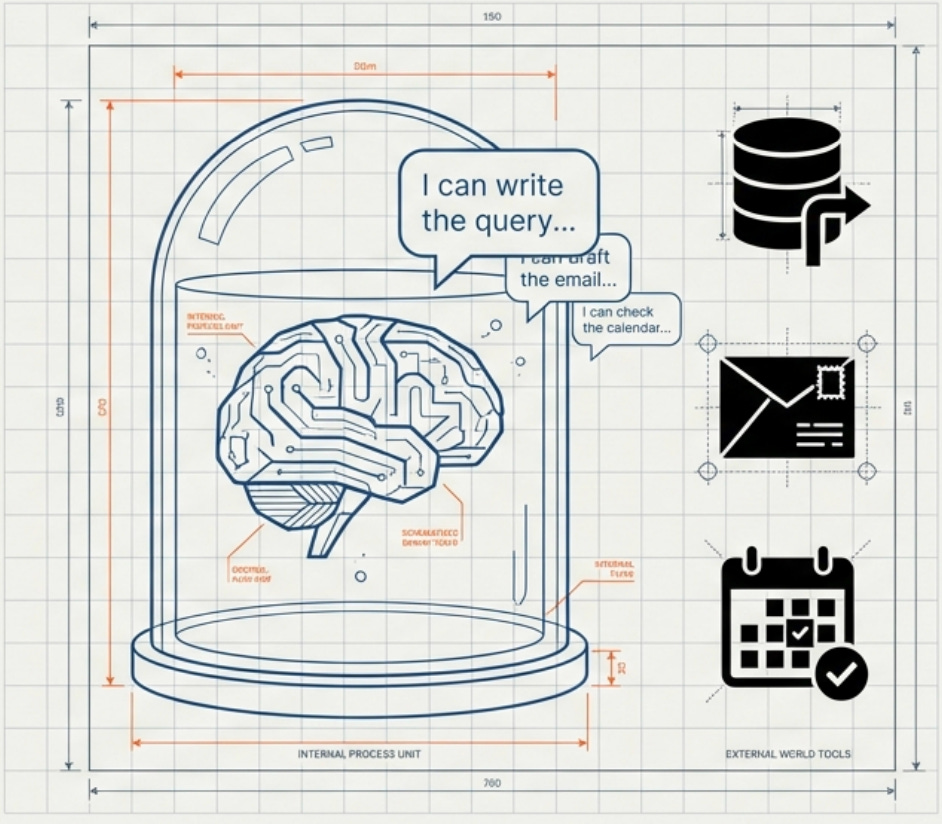
On paper, this all sounds simple. In practice, it’s anything but.
This might sound like a minor capability extension, but the implications are enormous for what you can build. Instead of an LLM that can only tell you about infrastructure, you have one that can modify it. Instead of a chatbot that describes calendar availability, you have one that can book meetings. Instead of a system that explains deployment processes, you have one that can trigger deployments. The jump from “can talk about” to “can actually do” opens up entirely new categories of applications.
And that’s where things get interesting... and also where I accidentally taught a model how to DDoS my own database.
The Architecture Pattern That Makes This Work
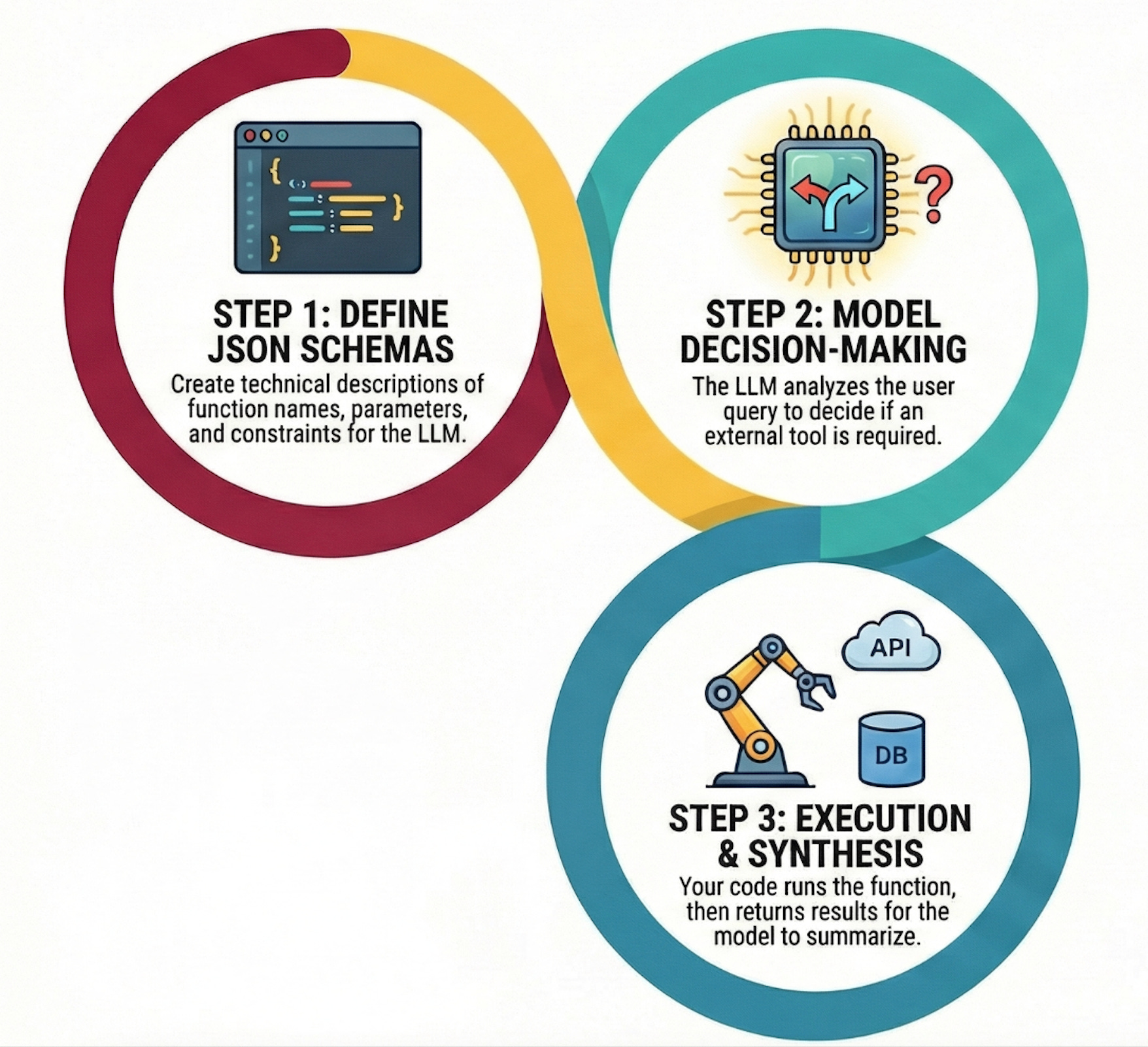
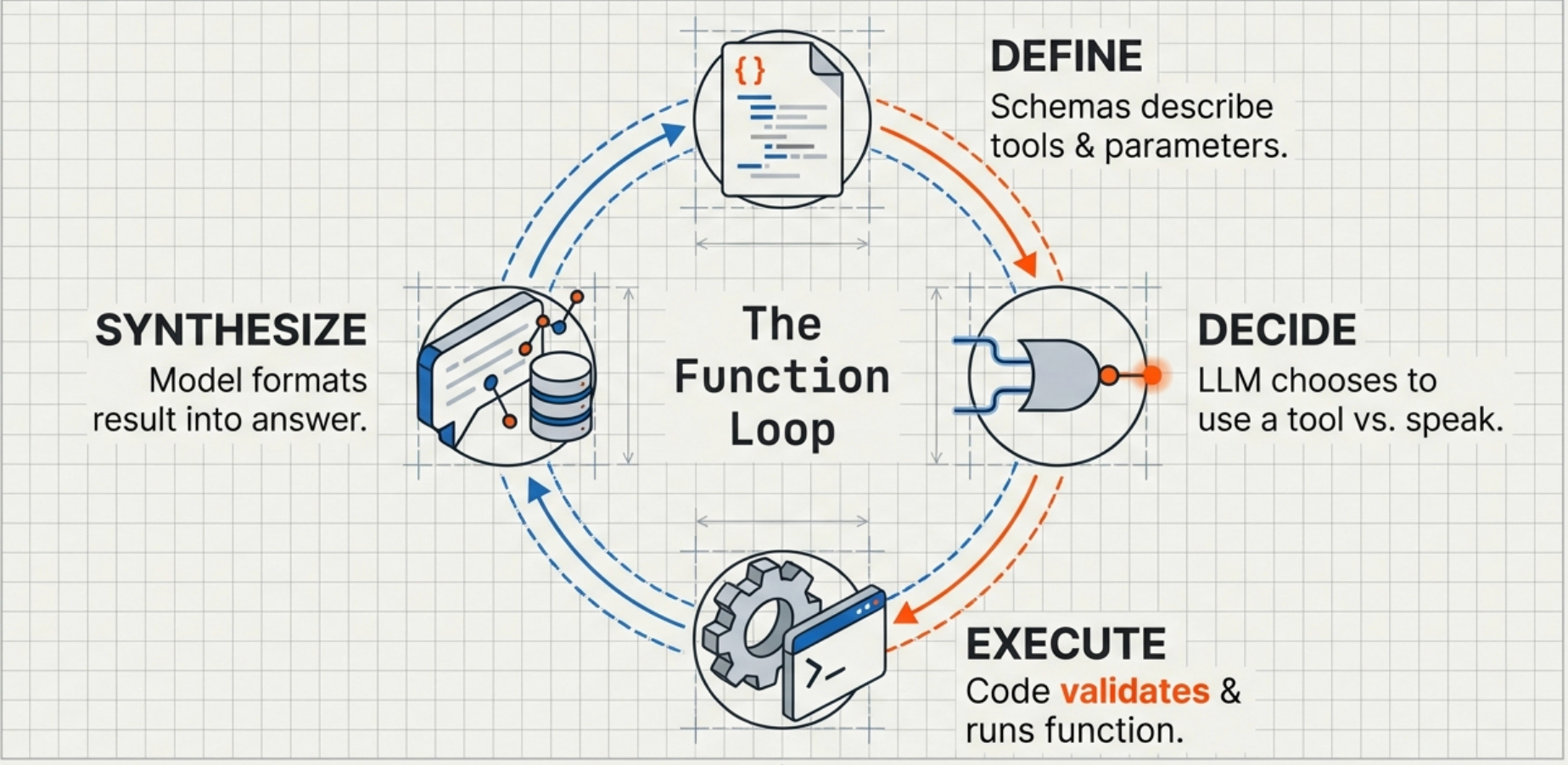
Function calling follows a specific pattern that you’ll implement over and over once you understand it. There are four main components that each need careful attention to prevent the kind of chaos I experienced with my database tool.
First, you define your functions in a way the LLM can understand.
This isn’t about writing the actual implementation code yet but rather about creating JSON schemas that describe what each function does, what parameters it accepts, and what constraints those parameters have. For a database query function, the schema might specify that it accepts a SQL query string, an optional limit parameter, and a database name, along with a description explaining that this function runs read-only SELECT queries against specified databases. The schema is the contract between your code and the LLM’s understanding of what’s possible.
Second, you send both the user’s query and your function definitions to the LLM.
The model reads the query, examines the available functions, and decides whether it needs to call any of them. This decision-making process is where a lot of the magic and danger lives because the model isn’t following hard-coded rules but rather making judgment calls about whether a function call would help answer the question.
Third, if the model decides to call a function, it returns a structured response containing the function name and parameters.
Your code parses this response, validates the parameters (this is critical and I failed to do it properly in my first implementation), executes the actual function, and formats the results. The results get sent back to the model so it can continue its reasoning process with new information.
Fourth, the model receives the function results and incorporates them into its final response to the user.
It might call additional functions if needed, creating a chain of function calls that gradually gather all the information required to answer the original question. A complex query might trigger three or four function calls in sequence as the model realizes it needs additional context or data to provide a complete answer.
In the home automation assistant, a question like "what rooms are above 72 degrees right now?" would trigger the model to call a query_sensors function with the relevant parameters, receive the current readings, and format them into a clear response.
When it worked correctly, it felt like magic, the system could intelligently decide what information it needed and go get it.
When it didn’t work, well… that’s what I’m writing about here.
Why This Matters More Than RAG for Some Use Cases
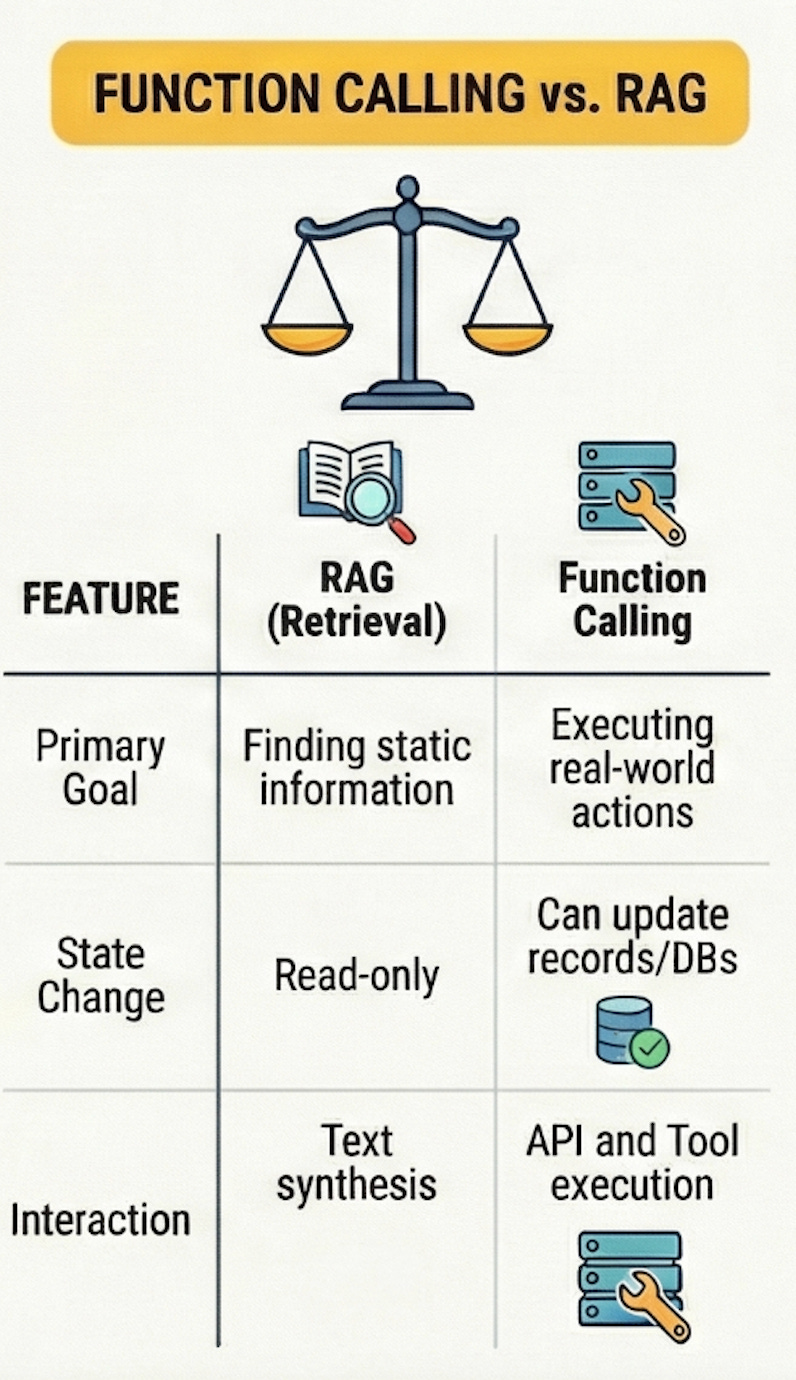
You might be wondering how function calling relates to RAG systems if you’ve been following along with my previous posts. They’re complementary but solve different problems, and choosing between them or combining them depends entirely on what you’re building.
RAG excels when you need to pull information from a large, relatively static knowledge base. You want the LLM to reference documentation, understand codebases, or answer questions about products. The information exists somewhere in text form, and RAG helps the model find and synthesize it effectively. But RAG is fundamentally read-only in nature because it retrieves and presents information without taking any actions on external systems.
Function calling excels when you need the LLM to actually do things beyond just reading and synthesizing information. Query a live database for current information, send notifications, create tickets, trigger workflows, update records, or any scenario where the LLM needs to interact with external systems in real-time rather than just reading pre-indexed documents. If your use case requires the model to affect state changes in your systems, you need function calling rather than RAG.
The pattern I’ve found most powerful combines both approaches together. Use RAG to give the model access to documentation and knowledge bases, then use function calling to give it the ability to query live systems and take actions. A user asks about recent deployment failures, and the model uses RAG to understand deployment processes from documentation, then calls functions to query logging infrastructure for actual recent failures, then synthesizes both sources into a coherent answer with actionable recommendations.
The combination provides both historical knowledge and current state information.
But that combination also multiplies the ways things can go wrong, which brings me to understanding when function calling actually makes sense for your use case.
Real-World Use Cases That Work Well
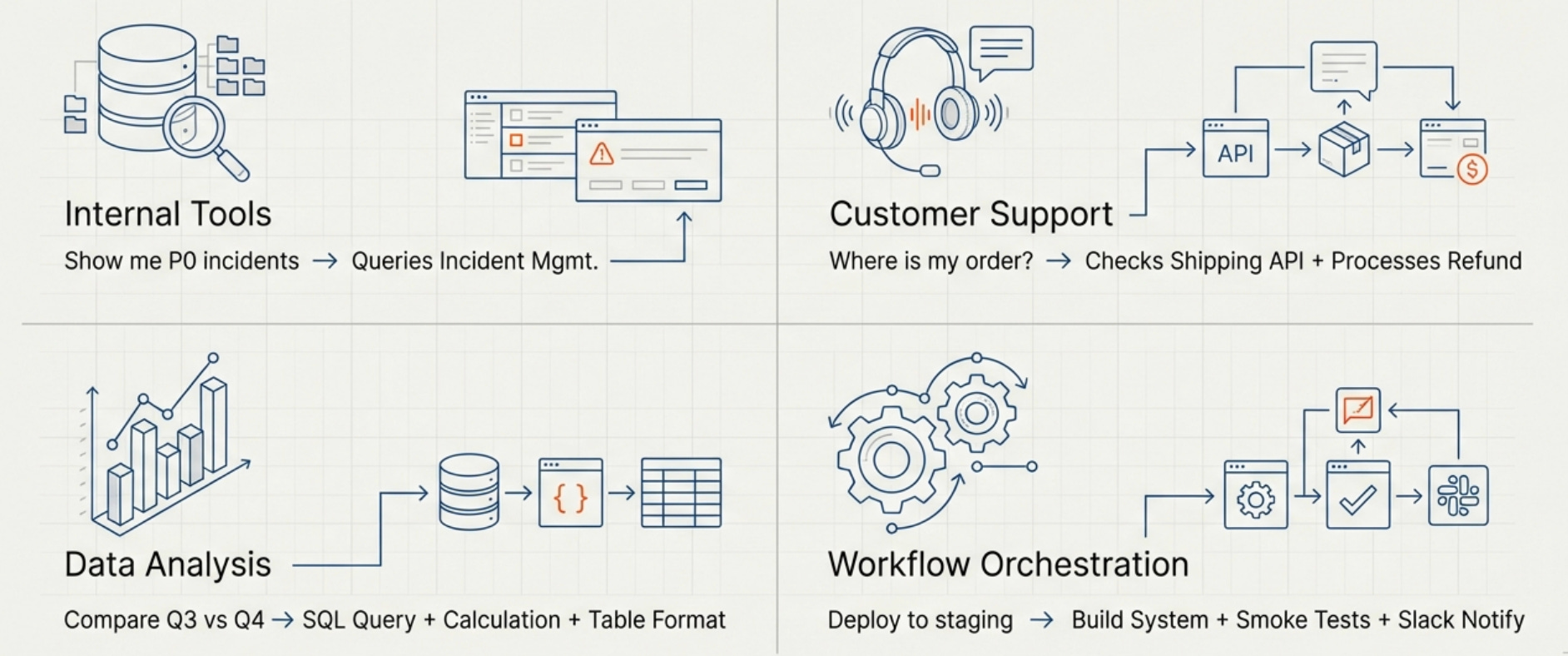
Function calling shines in specific categories of applications where the combination of natural language understanding and the ability to take actions creates value that neither capability alone could provide.
Internal tools and automation are one of the strongest use cases. Employees can ask questions in natural language and the system can query the right databases, APIs, or services to get answers. “Show me all P0 incidents from last week” becomes a function call to your incident management system, while “Create a ticket to investigate the API latency spike” becomes a function call to your ticketing system with appropriately formatted parameters.
Customer support automation works well when you give the model the ability to look up account information, check order status, or retrieve support history while conversing with customers. The model can maintain a natural conversation while making function calls in the background to get the specific information needed to help each customer, and it can even take actions like processing refunds or updating account settings when appropriate.
Data analysis and reporting becomes much more accessible when users can ask questions like “compare our user growth in Q3 versus Q4” and the system can call database query functions, retrieve the relevant data, perform calculations, and present results in a clear format. The model handles the natural language understanding and response formatting while your functions handle the actual data access and computation.
Workflow orchestration lets users trigger complex multi-step processes through natural language, where the model decides which functions to call in what order to accomplish a high-level goal. “Deploy the new API version to staging and run the smoke tests” becomes a series of function calls to your deployment system, testing infrastructure, and notification system, with the model coordinating the workflow and handling errors.
These use cases all share a common pattern: the natural language interface removes friction from interacting with complex systems, while function calling provides the actual capability to get things done.
When users can describe what they want in plain language and the system can translate that into the right sequence of API calls, database queries, or workflow triggers, you’ve created something genuinely more useful than either a chatbot or a traditional UI alone.
What Happens Next
The combination of natural language understanding and the ability to take actions creates enormous value… when it works correctly. But getting from “cool demo” to “reliable production system” requires engineering discipline that most tutorials don’t cover.
The schema I showed you earlier for that user query function?
It was terrible. The model had no idea what “search query” actually meant, so it tried everything from SQL injection attempts to making up usernames.
The validation I mentioned as being critical?
I didn’t have any in the first version.
The security implications of giving an LLM access to create database records?
I thought about those after the seventeenth john.smith appeared in the logs.
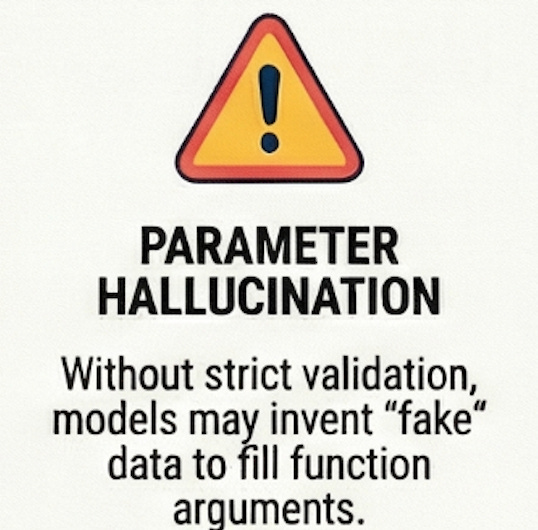
In Part 2, I’ll walk through the implementation details that separate toys from production systems: the function schema patterns that actually work, the validation layer you can’t skip, the security considerations you can’t ignore, and the monitoring setup that lets you sleep at night. We’ll look at real code for handling the function calling loop, the specific failure modes you’ll encounter (function call loops, parameter hallucination, permission creep), and the testing strategies that catch problems before they hit production.
We’ll also cover the cost optimization patterns that matter at scale, because function calling gets expensive quickly if you’re not careful about caching and batching. And I’ll share the production checklist I use before deploying any function-calling system - the things that separate “works on my laptop” from “handles production traffic without creating incidents.”
If you've built something that works on your laptop and now you need to make it reliable without accidentally polluting your data with fake entries, Part 2 is for you.
What’s your experience with function calling so far?
Have you tried building something with it, or are you evaluating whether it’s right for your use case?
Let me know in the comments.
With Love and DevOps,
Maxine
P.S.
If you're working with LLM systems and want to move beyond toy examples to building production-grade applications, I wrote a comprehensive guide called "LLMs for Humans: From Prompts to Production" that covers everything from prompt engineering to deployment strategies.
It's based on real production experience, not just theory.
Last Updated: February 2026